Aggregate Calculator
Calculate how much aggregate you need from the area dimensions and depth, including volume, estimated weight, waste, bulk bags, small bags and material cost.
- Bulk density: 1,600 kg/m³
- Waste: 10%
- Bulk bag weight: 800 kg
- Small bag weight: 20 kg
- Additional areas are combined with the main area before volume, waste and weight are calculated.
- All entered areas use the same aggregate type, bulk density, depth and waste percentage.
- Preset densities are planning estimates. Actual bulk density can vary by material, source, grading, moisture and packing.
- Bulk and small bag quantities are alternative purchasing estimates and should not be added together.
- Bag quantities are rounded up to the next whole bag.
- Cost estimates exclude delivery, labour and other charges.
- Results are for planning and material estimation only.
Work out how much aggregate to order for paths, driveways, landscaping and other projects. Enter the area and finished depth, then choose the aggregate you’re using with this free aggregate calculator.
The calculator gives you the volume and estimated weight, plus the number of bulk or small bags you’d need. You can also add waste and enter your supplier’s price to get an estimated material cost.
For a compacted sub-base layer, use the MOT Type 1 calculator and enter the required finished compacted depth. For sand quantities, use the sand calculator. If you’re mixing concrete with ballast and cement, use the ballast calculator.
PRO TIP: Check the product details before ordering. Two aggregates sold under similar names can have different densities or bag weights. If your supplier gives these figures, enter them into the calculator instead of using the defaults.
How to use this aggregate calculator
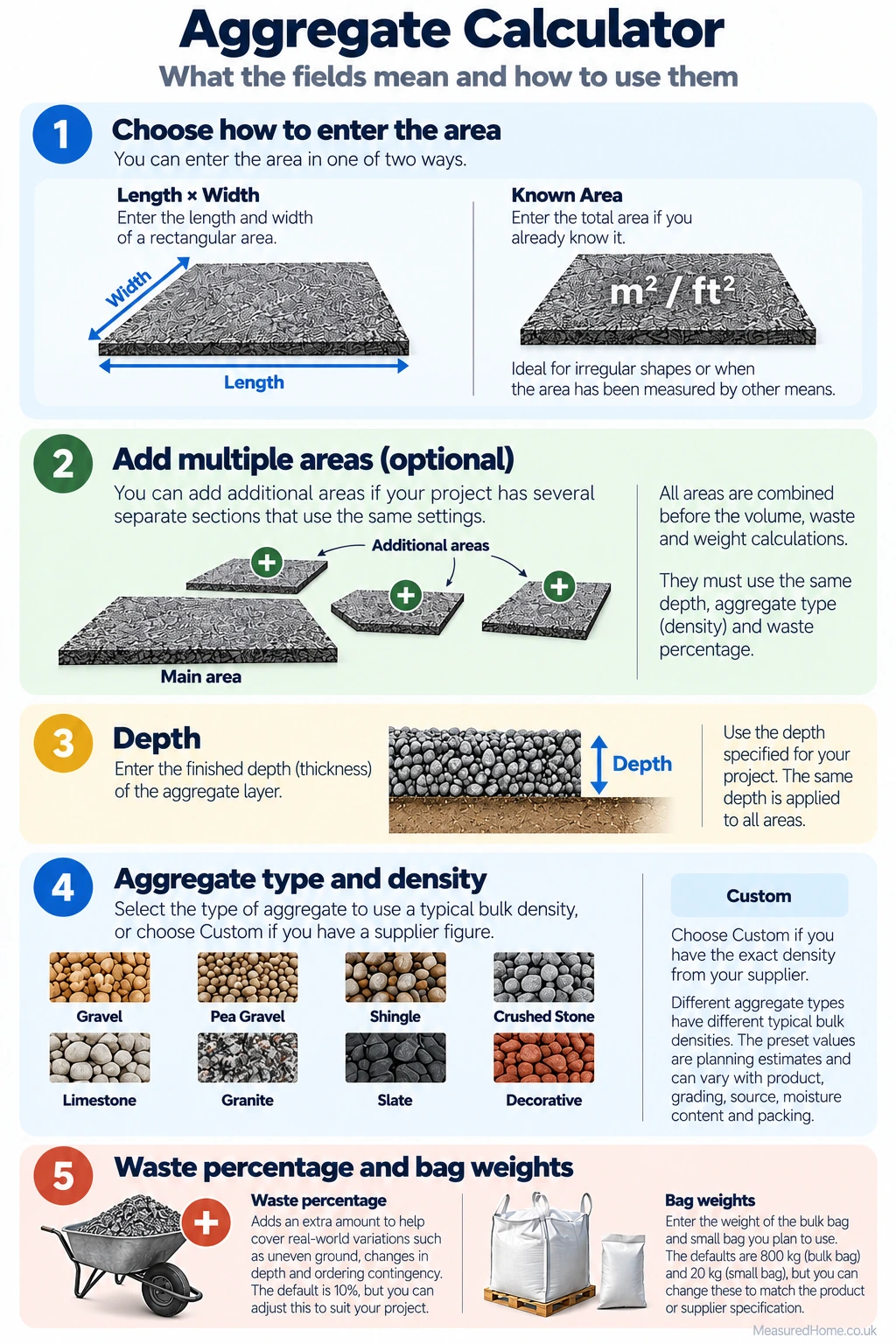
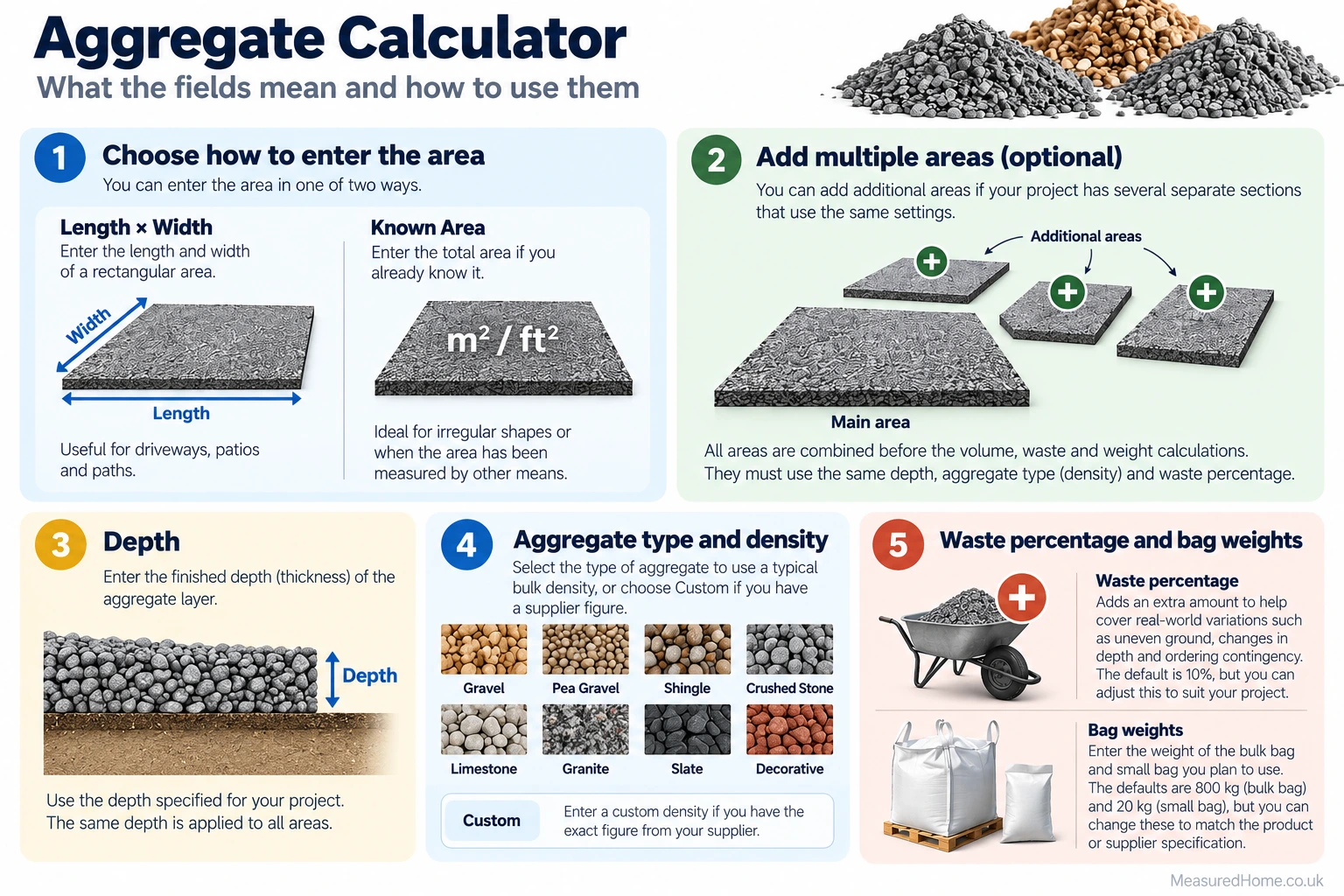
Start with the main area. For a rectangular space, select Length × Width and enter both measurements. Each dimension can independently use millimetres, centimetres, metres, feet or inches. If you already know the surface area, select Known Area and enter it in square metres or square feet.
Next, enter the finished depth of the aggregate layer. Depth can be entered in millimetres, centimetres, metres, feet or inches. Measure the depth the aggregate itself needs to occupy rather than the total excavation depth if the build-up also includes other layers.
If the job contains separate sections, use Additional Areas. Section 2 is available by default and can be left blank. These extra areas can be entered in square metres or square feet and are combined with the main area before volume is calculated. Every section uses the same depth, aggregate density and waste percentage.
Choose the aggregate type next. The calculator provides a planning bulk density for each preset material. If you know the density of your specific product, select Custom Density and enter the supplier’s figure in kg/m³.
The default waste allowance is 10%. Change this to suit the job or set it to 0% if you do not want an allowance. Then check the bag sizes: the defaults are 800 kg for a bulk bag and 20 kg for a small bag. Supplier bag weights vary, so use the stated product weight where available.
For a cost estimate, choose whether your price is per bulk bag, per small bag or per tonne and enter the price in pounds. The price field is optional.
Results Explanation
The main result shows the estimated amount of aggregate required in tonnes and kilograms, including your selected waste allowance. If you’ve entered a material price, an estimated cost is also shown.
Bulk-bag and small-bag quantities are alternative purchasing estimates, so don’t add them together. Both are rounded up to the next whole bag.
For bag-based pricing, the estimated cost uses the rounded-up number of bags. For pricing per tonne, it uses the calculated weight in tonnes.
How the Maths Works
The calculator first converts all measurements to metres or square metres. For Length × Width input, the converted dimensions are multiplied to find the main area. With Known Area input, the entered area is converted directly to square metres. Any populated additional areas are converted and added to the main area.
The core calculations are:
Total area (m²) = main area + additional areas
Base volume (m³) = total area × depth in metres
Waste volume (m³) = base volume × (waste % ÷ 100)
Adjusted volume (m³) = base volume + waste volume
Estimated weight (kg) = adjusted volume × bulk density (kg/m³)
Estimated weight (tonnes) = estimated weight (kg) ÷ 1,000
Bag quantity = estimated weight (kg) ÷ bag weight (kg), rounded up to the next whole bag
For example, a 20 m² area at 50 mm deep has a base volume of 1.000 m³. With 10% waste, the adjusted volume becomes 1.100 m³. At a bulk density of 1,600 kg/m³, the estimated weight is 1,760 kg, or 1.76 tonnes. With 800 kg bulk bags, 1,760 ÷ 800 = 2.2 bags, so the calculator rounds this up to 3 whole bags.
The preset planning densities used by the calculator are 1,600 kg/m³ for generic aggregate, gravel, pea gravel, shingle, crushed stone and decorative aggregate; 1,550 kg/m³ for limestone; 1,650 kg/m³ for granite; and 1,400 kg/m³ for slate.
Common Mistakes to Avoid
- Mixing units without checking the unit selected beside each measurement.
- Assuming every bulk bag contains exactly 800 kg; check the supplier’s stated bag weight.
- Treating preset bulk densities as exact values for every product.
- Adding the bulk-bag and small-bag results together; they are alternative purchasing estimates.
- Combining areas that require different depths or aggregate types; calculate these separately.
FAQs
How much aggregate do I need per square metre?
It depends on the required depth and the aggregate’s bulk density. At 50 mm deep, each square metre requires 0.05 m³ of aggregate before waste. The corresponding weight varies with the selected density.
How deep should aggregate be?
There isn’t one correct depth for every job. A decorative gravel layer might only be a surface covering, while a driveway sub-base needs to carry loads and may require a much greater compacted depth. Enter the finished depth required for your project rather than relying on a universal figure.
Should I allow extra aggregate for waste?
Usually, yes. A little extra helps cover uneven ground, small differences in depth and material lost during handling. We’ve set the calculator to 10% by default, but you can change this or remove the allowance entirely.
Should I order bulk bags or small bags?
Small bags can be easier to move and store, but they may work out more expensive for larger jobs. Bulk bags are usually more practical when you need a lot of material, provided you’ve got somewhere suitable for them to be delivered.
The calculator shows both so you can compare the quantities and prices.
Can I use this aggregate calculator for a driveway or sub-base?
Yes, you can use the calculator to work out the quantity of aggregate needed for a driveway or sub-base once you know the required depth.
It won’t tell you how thick the sub-base should be or which material to use. Those decisions depend on the ground, expected loads and the construction specification.
related calculators
MOT Type 1 Calculator
Sand Calculator
Ballast Calculator
Disclaimer
This calculator is intended for planning and material estimation only. Results depend on the measurements and values entered, while actual aggregate density, bag weight and coverage can vary by product and supplier.
Confirm product specifications and ordering requirements with your supplier before purchasing. Cost estimates cover material only and exclude delivery, labour and other charges.
Where material type, depth, compaction or construction specification affects structural performance, follow the relevant project requirements and obtain competent professional advice where necessary.