Sand Calculator
Calculate how much sand you need from the area dimensions and depth, including volume, estimated weight, bulk bags, small bags and optional material cost.
- Bulk density: 1,600 kg/m³
- Extra allowance: 10%
- Bulk bag weight: 800 kg
- Small bag weight: 20 kg
- Additional areas are combined with the main area before volume, allowance and weight are calculated.
- All entered areas use the same bulk density, depth and extra allowance.
- The default density of 1,600 kg/m³ is a planning estimate. Actual sand bulk density can vary by product, moisture and packing; use your supplier’s stated density where available.
- Bulk and small bag quantities are alternative purchasing estimates and should not be added together.
- Bag quantities are rounded up to the next whole bag.
- Cost estimates exclude delivery, labour and other charges.
- Results are for planning and material estimation only.
Use this sand calculator to find the volume of sand required for your proejct. Enter the area and sand depth to estimate the volume, weight and number of bags you’ll need. Use length and width, a circle’s diameter or an area you’ve already measured.
You can also estimate how many bulk bags or small bags to order. The default settings use a sand bulk density of 1,600 kg/m³, an 800 kg bulk bag, a 20 kg small bag and a 10% waste allowance, but each of these values can be changed to match your supplier or project. If you enter a price, the calculator can also estimate material cost.
For brick or block laying, use the mortar calculator to estimate the sand and cement together.
PRO TIP: Check your supplier’s bag weight and sand density before ordering. If the base is uneven, measure the depth in several places.
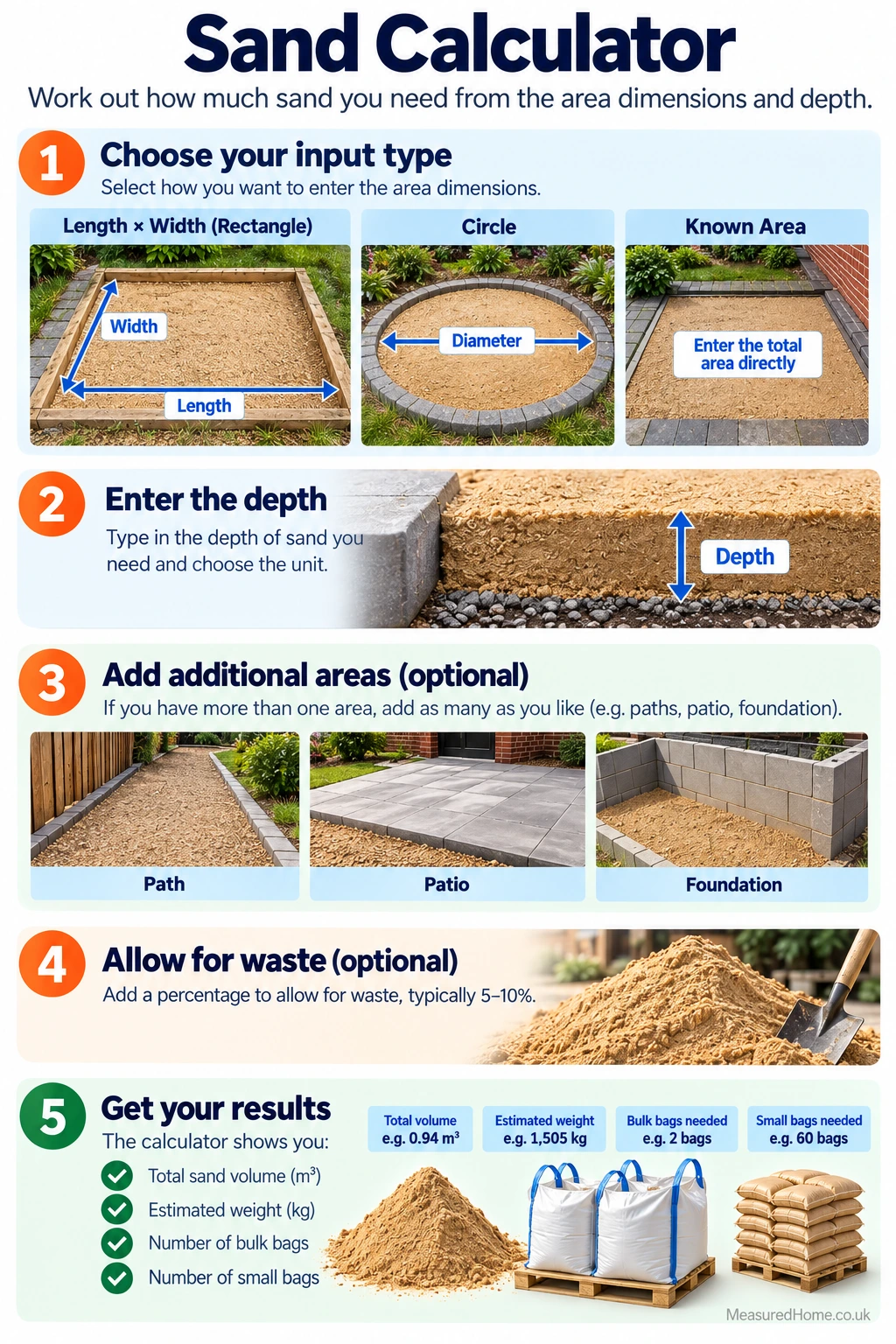
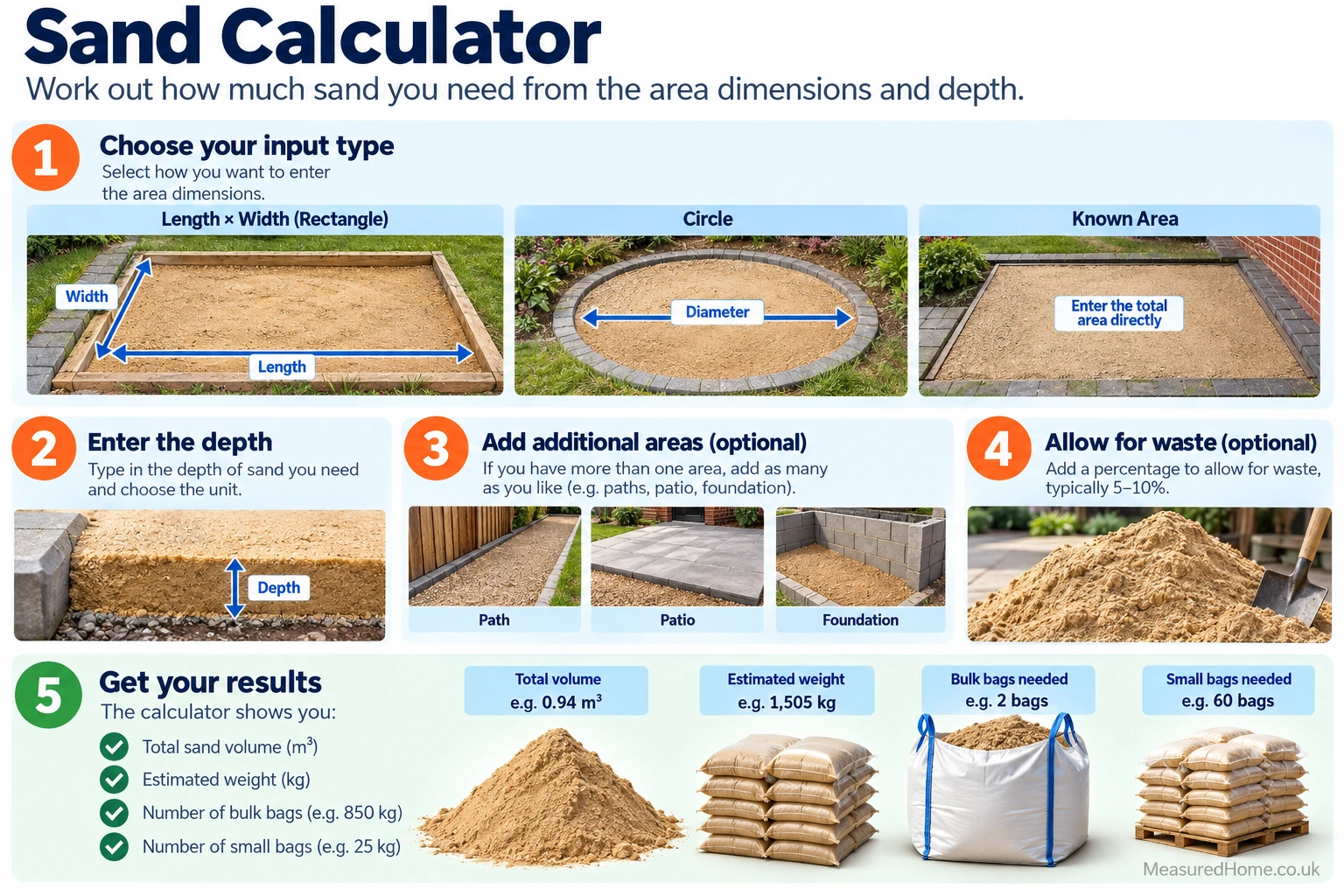
How to use this sand calculator
Choose the area input method
For a rectangular area, select Length × Width and enter the length and width. Lengths can be entered in millimetres, centimetres, metres, feet or inches. For a circular area, select Circle and enter its diameter using the appropriate length unit. If you already know the area, select Known Area and enter it in square metres or square feet.
Enter the sand depth
Check the depth carefully. A small difference across a large area can mean considerably more or less sand.
Add additional areas if needed
Section 2 is available for an optional additional area. Leave it blank if the project has only one area. You can add more area sections where required; the calculator allows up to 50 additional areas. Extra areas can be entered in square metres or square feet.
All additional areas are combined with the main area and use the same depth, density and waste allowance. If different parts of the job require different depths or different materials, calculate them separately.
Set the waste allowance
The default 10% allowance adds extra sand for uneven depths and spillage. You can change this from 0% to 100%, or enter 0% to add no extra sand.
Check the sand density
The default bulk density is 1,600 kg/m³. This is a planning estimate rather than a fixed property of every sand product. Moisture, grading, product type and packing can affect bulk density, so use your supplier’s stated figure when available.
Enter bag weights
Use either the bulk-bag total or the small-bag total. Don’t add them together.
Add a price if required
Cost is optional. Choose whether your price is per bulk bag, per small bag or per tonne, then enter the price in pounds. Leave the price field blank if you only need material quantities.
Understanding Your Results
The results show the total combined area, the amount contributed by additional areas, the volume before waste, the extra volume added as waste, and the final volume after the allowance.
The calculator then estimates the sand weight in kilograms and tonnes using the selected bulk density. It also shows the number of bulk bags and small bags needed using the bag weights you entered. Bag quantities are rounded up to whole bags.
If a price is entered, the material cost is calculated using the selected price basis. A bulk-bag price is multiplied by the rounded-up number of bulk bags; a small-bag price is multiplied by the rounded-up number of small bags; a per-tonne price is multiplied by the calculated weight in tonnes. Delivery, labour and other charges are not included.
How the Maths Works
The calculator first converts the measurements into metres or square metres. Its built-in conversions include 1 ft = 0.3048 m, 1 in = 0.0254 m and 1 ft² = 0.09290304 m².
For a rectangle, area = length × width. For a circle, area = π × (diameter ÷ 2)². For a known area, the entered area is converted directly to square metres where required.
Any additional areas are converted to square metres and added to the main area. The total area is then multiplied by the depth in metres:
Base volume (m³) = total area (m²) × depth (m)
The selected waste percentage is applied to that base volume:
Adjusted volume = base volume × (1 + waste % ÷ 100)
The adjusted volume is converted to an estimated weight using the chosen bulk density:
Weight (kg) = adjusted volume (m³) × density (kg/m³)
Tonnes = weight (kg) ÷ 1,000
Bag quantities are calculated by dividing the estimated weight by the selected bag weight and rounding up to the next whole bag.
Common Mistakes to Avoid
- Mixing units without selecting the correct unit beside each measurement.
- Entering a depth in centimetres or metres while the calculator is still set to millimetres.
- Using the diameter of a circular area as though it were the radius, or vice versa.
- Adding areas that require different depths and treating them as one calculation.
- Ignoring waste or contingency where the base is uneven or material may be lost during handling.
FAQs
How much does a cubic metre of sand weigh?
Sand does not have one fixed bulk weight because density varies with the product, moisture and packing. The calculator uses 1,600 kg/m³ as a default planning estimate, and you can replace this with your supplier’s stated bulk density where available.
How many bulk bags of sand will I need?
The calculator divides the estimated total sand weight by the bulk-bag weight and rounds up to the next whole bag. It defaults to an 800 kg bulk bag, but you can enter a different weight to match the product you are buying.
How much extra sand should I allow for waste?
The calculator defaults to a 10% allowance for uneven depth, spillage and ordering contingency, but this is adjustable from 0% to 100%. The appropriate allowance depends on the job and site conditions, so change it where a different figure is more suitable.
related calculators
Mortar Calculator
Screed Calculator
MOT Type 1 Calculator
Concrete Mix Calculator
Disclaimer
This calculator gives planning estimates. Actual quantities can vary with site conditions, moisture, compaction and handling losses. Check your supplier’s product information before ordering. Costs cover materials only and exclude delivery and other project charges. Follow any design or installation requirements specified for your job.