Decking Calculator
Estimate decking boards, extra allowance and board cost, with optional estimates for additional sections and joists.
- Straight board rows; the final row may need trimming.
- Each row uses whole purchased boards. Offcuts are not reused between rows or sections.
- Board end gaps are not used to reduce quantities. Rows longer than one purchased board need supported end joints.
- The extra allowance is added to the base whole-board count, then rounded up once.
- Excludes borders, diagonal patterns, stairs, fascia, fixings and structural design.
- Check the cutting plan and manufacturer guidance before ordering.
Use this decking calculator to estimate how many boards to buy for your deck. Enter the deck dimensions, actual board width, purchased board length and gap between rows. Add a price per board to estimate the board cost.
For an L-shaped deck or several rectangular sections, choose Advanced. You can also estimate straight supporting joist lines and their total length. The board estimate assumes straight rows and does not reuse offcuts between rows or sections.
PRO TIP: Try the calculator with the different board lengths your supplier sells, using the matching price for each. Compare the total board cost and the cuts needed. Shorter boards may cost less each but leave you buying more boards.
How to Use this decking calculator
Measure the deck and choose the direction
In metric mode, enter deck dimensions in metres, board width and gaps in millimetres, and purchased board length in metres. Imperial mode uses feet and inches for the deck dimensions, inches for board width and gaps, and decimal feet for purchased board length.
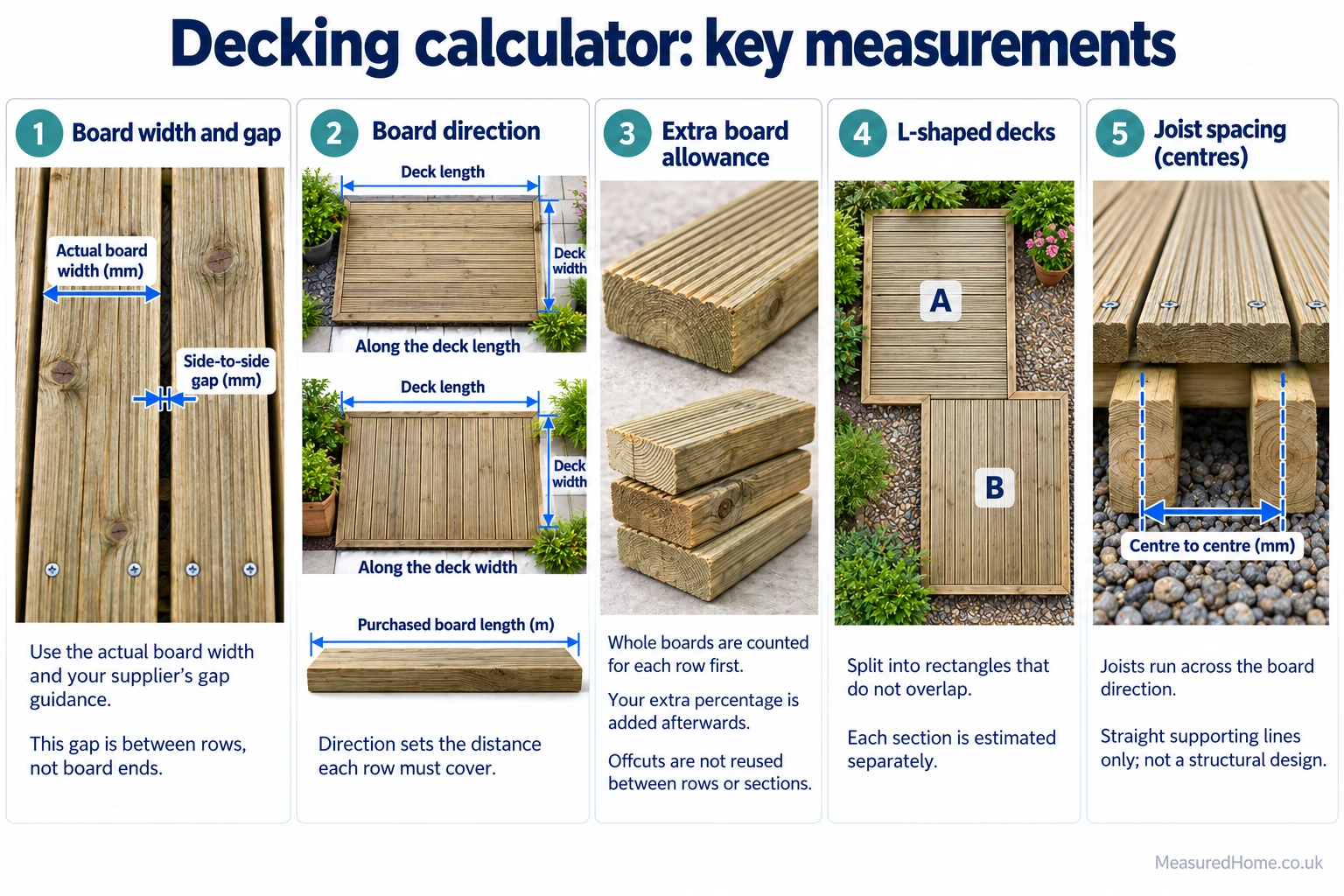
Choose whether the boards run along the length or width you entered.
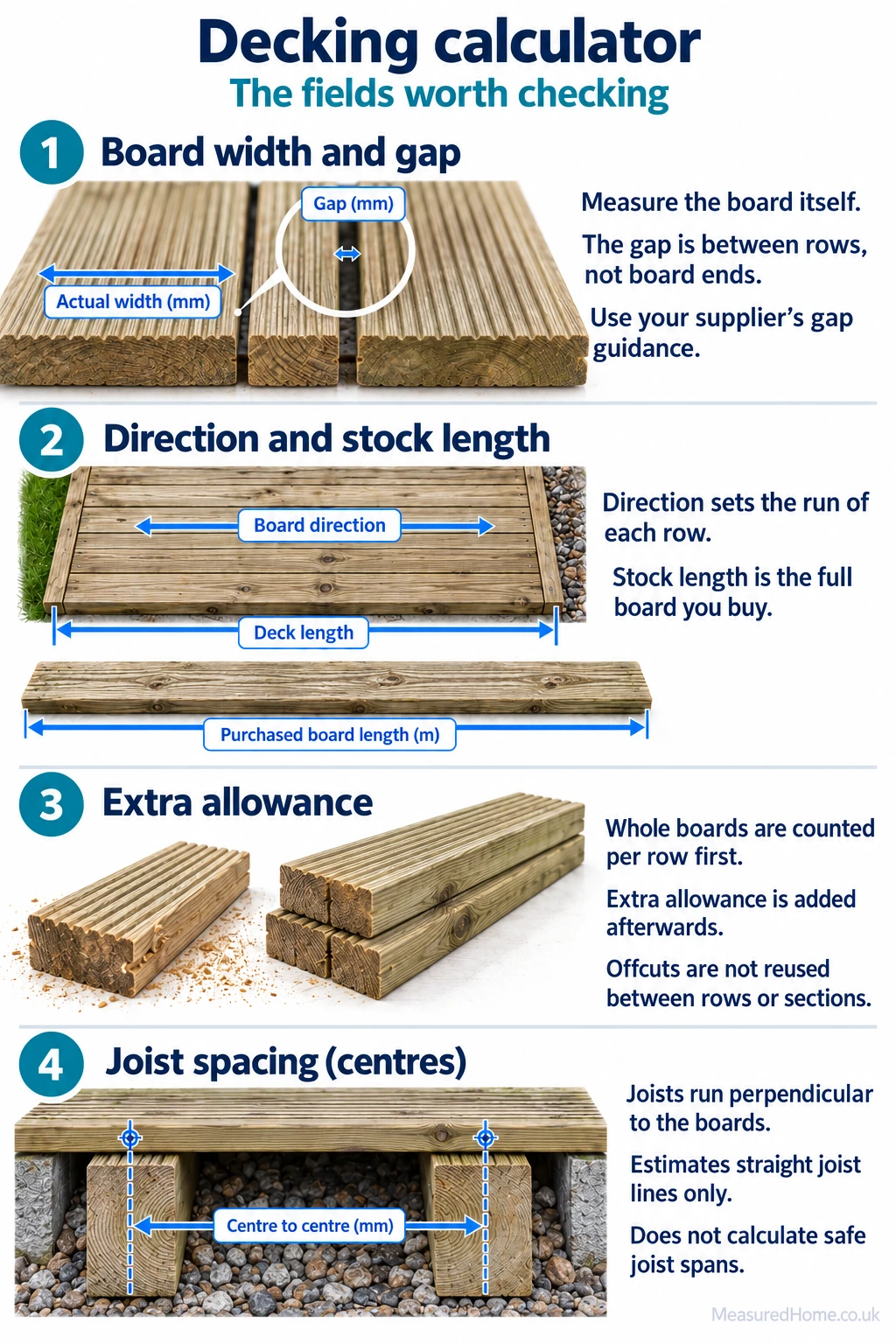
Use the dimensions of the boards you will buy
Enter the actual board width from the product specification rather than a nominal size. Purchased Board Length is the length of one board from your supplier. The gap field is the side-to-side gap between rows; use the value specified for your product and installation conditions.
Set the allowance and price
The calculator counts whole purchased boards for each row without reusing offcuts. It then adds 10% extra by default. Adjust this allowance to suit the spare boards you need; the base count already includes the unused length left when boards are cut to fit each row.
For cost, enter the price of one board at the purchased length selected above. Leave the price blank if you only need quantities.
Add sections or estimate joists
Click Advanced to add rectangular sections. Split an L-shaped deck into rectangles that do not overlap. The selected direction applies to the length or width entered for each section, so label your measurements consistently. All sections use the same board sizes, gap and allowance.
For a joist estimate, select Yes and enter the product’s required spacing between joist centres. An optional joist price is entered per metre in metric mode or per foot in imperial mode. Joists are estimated perpendicular to the boards.
Understanding your results
Boards to Buy includes your extra allowance. The results also show the number before the allowance and how many spare boards were added. If you entered several sections, their individual figures exclude the allowance.
Purchased Board Length in the results is the combined length of all boards to buy, including spares. It is not the length of an individual board or the length of boards fitted to the deck.
The joist estimate shows the number of supporting lines and their combined length. You will need to convert that length into the joist sizes your supplier sells and allow separately for cuts and additional framing. Total of Entered Costs includes only the prices you entered, so a missing price leaves that material out of the total.
How the Maths Works
For each rectangle, the calculator counts rows across the deck and whole purchased boards along each row. Use the same length units throughout these formulas; round up means round to the next whole number.
Board rows = round up [(dimension across the boards + gap) ÷ (board width + gap)]
Boards per row = round up [board run ÷ purchased board length]
Base boards = board rows × boards per row
Boards to buy = round up [combined base boards × (1 + extra allowance ÷ 100)]
The row formula allows for gaps between rows, without adding an extra gap outside the deck edges. The final row may need trimming. Board end gaps are not subtracted from the board run.
Worked example
For a 4 m × 3 m deck with boards running along the 4 m side, use 144 mm wide boards, a 6 mm side gap and a purchased length of 4 m. For this example, assume 144 mm boards with a 6 mm gap; use your supplier’s figures for your own deck.
Rows = round up (3.006 ÷ 0.150) = 21. Each row needs one purchased board, giving 21 base boards. Adding 10% and rounding up gives 24 boards to buy. At £20 per board, the estimated board cost is £480.
Optional joist calculation
Supporting joist lines = round up [board run ÷ joist spacing] + 1, with a minimum of two lines per section. Total joist length is the number of lines multiplied by the dimension across the boards, summed across sections. This estimates supporting lines at both ends and between them; it does not check safe spans or design supports for board joints.
Common Mistakes to Avoid
- Entering millimetres in a metre field: a 3,600 mm purchased board is entered as 3.6 m in metric mode.
- Counting the corner of an L-shaped deck twice: draw the rectangles first and make sure their areas do not overlap.
- Treating the estimate as a cutting plan: reusable offcuts are not deducted, and the calculator does not position or stagger board joints.
faqs
What gap should I leave between decking boards?
Follow the manufacturer’s instructions for your boards. Enter the gap between the sides of neighbouring boards here. Any required gaps at board ends must be checked separately.
What if the boards are shorter than the deck?
A 5 m row using 3 m boards counts as two purchased boards. You will need to plan where they are cut and joined, with support at the end joints. The calculator does not choose those joint positions.
Why is the board quantity higher than an area estimate?
Dividing deck area by board area does not account for how individual boards fit each row. This calculator rounds up the purchased boards needed for every row, without reusing offcuts, then adds your extra allowance. A cutting plan that reuses suitable offcuts may reduce the quantity.
Related Calculators
Patio Paving Calculator – Estimate slabs or project packs and optional material costs for a paved alternative to decking.
Concrete Patio Calculator – Estimate concrete and optional sub-base, reinforcement and material costs for a poured patio.
Disclaimer
This is a material estimate for straight decking rows. Borders, diagonal layouts, stairs, fascia, fixings, delivery and labour are excluded. Check the cutting plan and supplier specifications before ordering.
The joist estimate excludes rim framing, noggins, posts, additional supports and extra framing at board joints. Shared framing between sections is not deducted. It does not determine safe joist spans or structural suitability; have the framing and support design checked by a suitably qualified professional where needed