Patio Paving Calculator
Estimate paving slabs or project packs required, wastage, coverage and material cost for your patio.
- Paving type: Single-size slabs
- Wastage allowance: 10%
- Slabs and packs are rounded up to whole purchasing units.
- Optional material quantities use net paving area and the depths, density and product coverage entered. Paving wastage is not added to sub-base, bedding or jointing quantities. Use a density appropriate to the specified sub-base depth and compaction state.
- Check supplier pack coverage, product yields and laying guidance before ordering.
- Results are for planning and material estimation purposes only.
Use the patio paving calculator to work out how many slabs or project packs to order, with an allowance for cuts and breakages. Enter the size of your patio, choose your paving and set the wastage percentage to get an estimated order quantity and coverage.
You can calculate standard slab sizes or enter your own dimensions. If you’re buying a mixed-size project pack, use the coverage stated by the supplier instead. There’s also an Advanced mode for patios made up of several areas, plus optional calculations for sub-base, bedding, jointing and edging.
Prices are optional, so you can use the calculator just for quantities or add your supplier’s prices for a rough material cost.
PRO TIP: Don’t order from the exact calculated area. Cuts around walls, steps, drains and awkward edges can quickly use up your spare slabs. For a simple rectangular patio, 10% wastage is a reasonable starting point. If there are lots of cuts or you’re laying diagonally, increase it. Keeping a few unused slabs afterwards is also handy if one gets damaged and the same paving is difficult to find later.
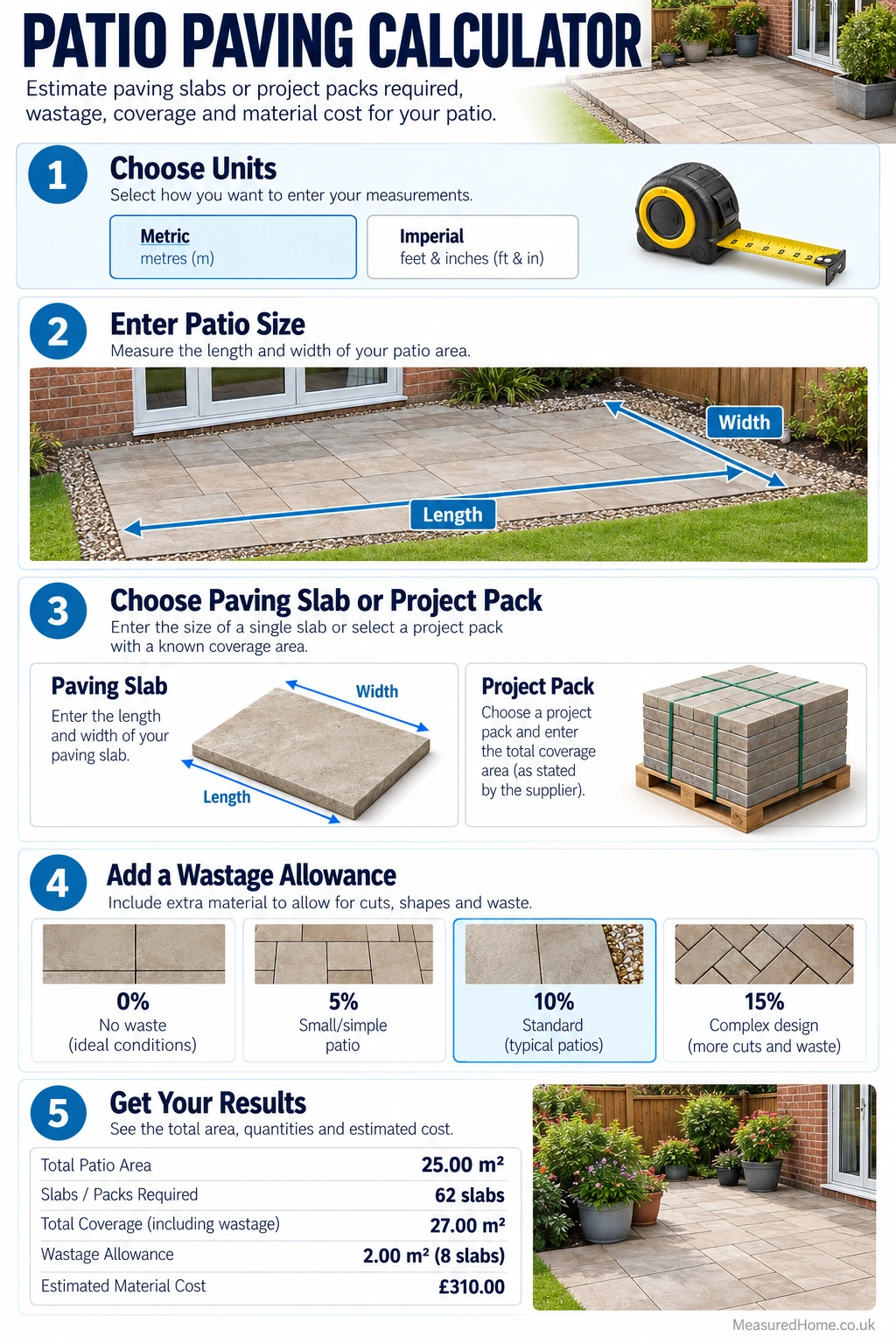
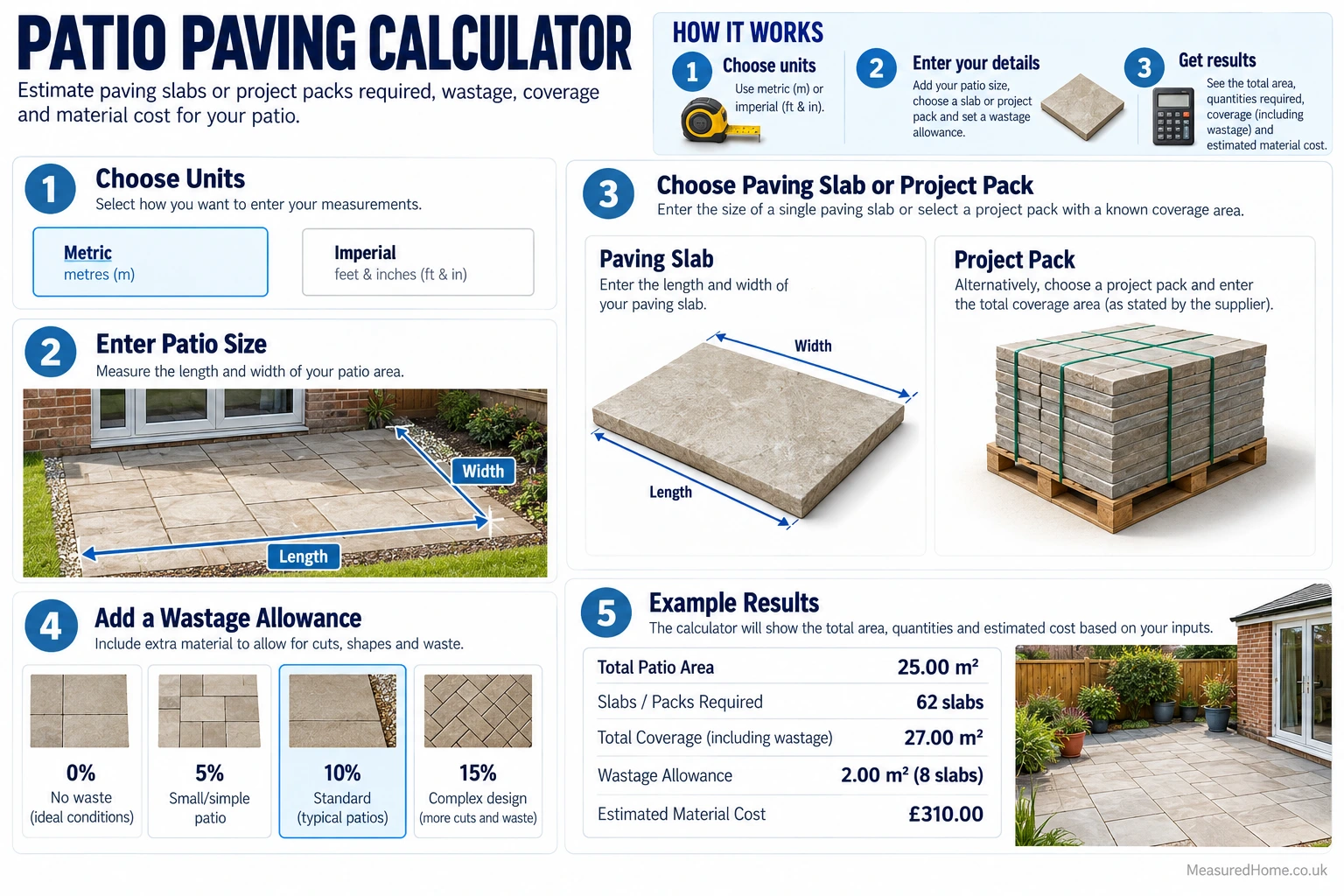
How to use this patio paving calculator
Measure the main patio
Measure the main rectangular area and enter its length and width. In Metric mode, patio dimensions are entered in metres. In Imperial mode, the main length and width use feet and inches. The calculator shows a live patio-area preview as you enter the dimensions.
Choose the paving type
Select Single-size slabs when the patio will use slabs of one size. Presets include 600 × 600 mm, 900 × 600 mm, 600 × 450 mm, 600 × 300 mm, 450 × 450 mm and 300 × 300 mm. Choose Custom slab size if your paving uses different dimensions. For paving used beneath a garden shed, use our shed base calculator to estimate a rectangular slab layout, bedding and optional sub-base quantities.
Select Mixed-size / Project pack when the supplier gives a total coverage figure for the pack. Enter that coverage rather than trying to calculate individual mixed slab sizes.
Tell the calculator how the paving is sold
For single-size slabs, choose Individual slabs or Packs of slabs. If buying packs, enter the whole number of slabs in each pack. Optional price fields let the calculator estimate paving cost using the selected buying method.
Set the wastage allowance
The default wastage allowance is 10%, and the calculator accepts values from 0% to 50%. The calculator’s own guidance describes 10% as suitable for most straightforward layouts and suggests considering a higher allowance for diagonal patterns, complex shapes or jobs involving more cuts.
Use Advanced mode for more complex areas
Additional Patio Sections lets you add rectangular areas for L-shaped, stepped or multi-area patios. Exclusions subtract rectangular areas such as flower beds, ponds or planted sections. Up to 20 rows can be added to each advanced area list. Exclusions cannot equal or exceed the total patio area.
Add optional material calculations
You can turn on separate calculations for sub-base, bedding, jointing compound and edging. Enter the requested depth, density, product coverage, piece length or price values shown in the calculator. For jointing compound, use the manufacturer’s coverage for the actual slab size and joint dimensions.
For edging, you can enter a measured edging length. If the patio is a single rectangle with no additional sections or exclusions, leaving this blank allows the calculator to use the rectangle’s full perimeter. When additional sections or exclusions are entered, the calculator requires a measured edging length.
Understanding your results
Net Paving Area is the area that actually needs paving after any additional sections and exclusions have been taken into account.
Area Including Wastage adds your chosen wastage allowance to the net area. This is the figure used to calculate how much paving you need to buy.
Theoretical Slabs shows the exact calculated quantity before rounding. Slabs to Order is the quantity you can actually buy, rounded up to whole slabs or, where applicable, whole packs.
Coverage Purchased is the total area your final order can cover. Estimated Surplus is the difference between that coverage and your net patio area, so it includes the extra paving allowed for wastage as well as any additional amount caused by rounding to whole slabs or packs.
Cost figures only appear where you’ve entered the relevant prices.
How the Maths Works
Patio area
For each rectangular section, area = length × width. In Advanced mode, the calculator adds the areas of additional rectangular patio sections and subtracts the areas of exclusions:
Net paving area = main patio area + additional section area − exclusion area.
Wastage
The selected wastage percentage is applied to the net paving area:
Area including wastage = net paving area × (1 + wastage ÷ 100).
Single-size slabs
Slab area is calculated from the slab length and width after conversion to metres. The theoretical slab count is the area including wastage divided by the area of one slab. The calculator rounds this up to a whole slab.
If slabs are bought in packs, packs to order = slabs required ÷ slabs per pack, rounded up. The final slab quantity is then the number of packs multiplied by the slabs per pack. Coverage purchased is the final slab quantity multiplied by the slab area.
Project packs
For mixed-size or project packs, packs to order = area including wastage ÷ manufacturer coverage per pack, rounded up. Coverage purchased is the number of packs multiplied by the stated coverage per pack.
Sub-base
When enabled, sub-base volume = net paving area × entered depth. Sub-base tonnes = volume × entered material density. If a cost per tonne is entered, estimated sub-base cost = tonnes × cost per tonne.
Bedding
When enabled, bedding volume = net paving area × entered bedding depth. A supplied unit cost is multiplied by the calculated volume, using m³ in Metric mode or yd³ in Imperial mode.
Jointing compound
Jointing units = net paving area ÷ the manufacturer coverage entered for one tub or bag, rounded up to a whole unit. The calculator does not derive jointing consumption from joint width or depth; it relies on the product coverage you enter.
Edging
Edging pieces = required edging length ÷ the entered length of one edging piece, rounded up. For a simple single rectangle, the automatic edging length is 2 × (length + width) when no measured edging length is supplied.
Rounding and unit handling
Whole purchasing units are rounded up so the calculated order does not fall short because of a fractional slab, pack, tub, bag or edging piece. Internally, the calculator converts Imperial measurements to metric for the core calculations and converts displayed areas, lengths and volumes back to the selected unit system.
Paving wastage is applied to the paving order calculation. It is not added to sub-base, bedding or jointing quantities, which use the net paving area.
Common Mistakes to Avoid
Measuring the whole garden rather than the paved area. Measure the finished patio footprint and subtract areas that won’t be paved.
Using the wrong project-pack figure. Enter the pack’s stated coverage, not the number of individual slabs inside it.
Assuming all packs cover the same area. Coverage varies between products, particularly mixed-size packs, so check the exact pack you’re buying.
Allowing too little for cuts. A simple rectangle generally needs less spare paving than a diagonal layout or a patio with lots of corners and obstacles.
Mixing units when entering custom sizes. Double-check whether your measurements are in metres, millimetres, feet or inches.
Relying on a generic jointing coverage figure. Jointing products can cover very different areas depending on slab and joint dimensions, so use the manufacturer’s figure for your installation
faqs
How much extra paving should I order for wastage?
Around 10% is a useful starting point for a straightforward rectangular patio. You may need more for diagonal laying patterns, awkward shapes or areas with lots of cuts. You can change the wastage allowance in the calculator to see how it affects the order quantity.
Can I calculate paving for an L-shaped patio?
Yes. Break the patio into rectangles, use one as the main area and add the others under Additional Patio Sections in Advanced mode. If there are areas inside the footprint that won’t be paved, add those as exclusions.
Can the calculator estimate sub-base and bedding quantities?
Yes. Advanced mode can estimate sub-base from the paved area, depth and material density, and bedding from the paved area and bedding depth. These are quantity estimates rather than specifications for how deep either layer should be.
How does the jointing compound estimate work?
Enter the product coverage per tub or bag from the manufacturer’s information. The calculator divides the net paving area by that coverage and rounds up to a whole number of tubs or bags. It does not independently calculate consumption from joint width and depth.
Related Calculators
Decking Calculator – Estimate boards and material costs if you’re considering decking instead of paving.
Concrete Patio Calculator — Estimate concrete and optional sub-base, reinforcement and material costs for a poured patio.
Disclaimer
This calculator is for estimating material quantities and costs. Actual requirements can vary because of site conditions, cutting, breakages, compaction, laying method and the way products are packaged. Check the supplier’s pack contents, coverage figures and installation instructions before ordering.
Sub-base, bedding, jointing and edging figures are estimates based on the values you enter. They don’t determine the correct construction specification for your patio. Suitable excavation, foundations, falls and drainage will depend on the site and intended use.
Cost estimates only include prices entered into the calculator and don’t include labour, delivery, plant hire, excavation, waste disposal or other costs unless specifically shown. Check any relevant planning, drainage or Building Regulations requirements before starting work.